Video Analytics RFP Questions: 9 Tests Vendors Cannot Bluff
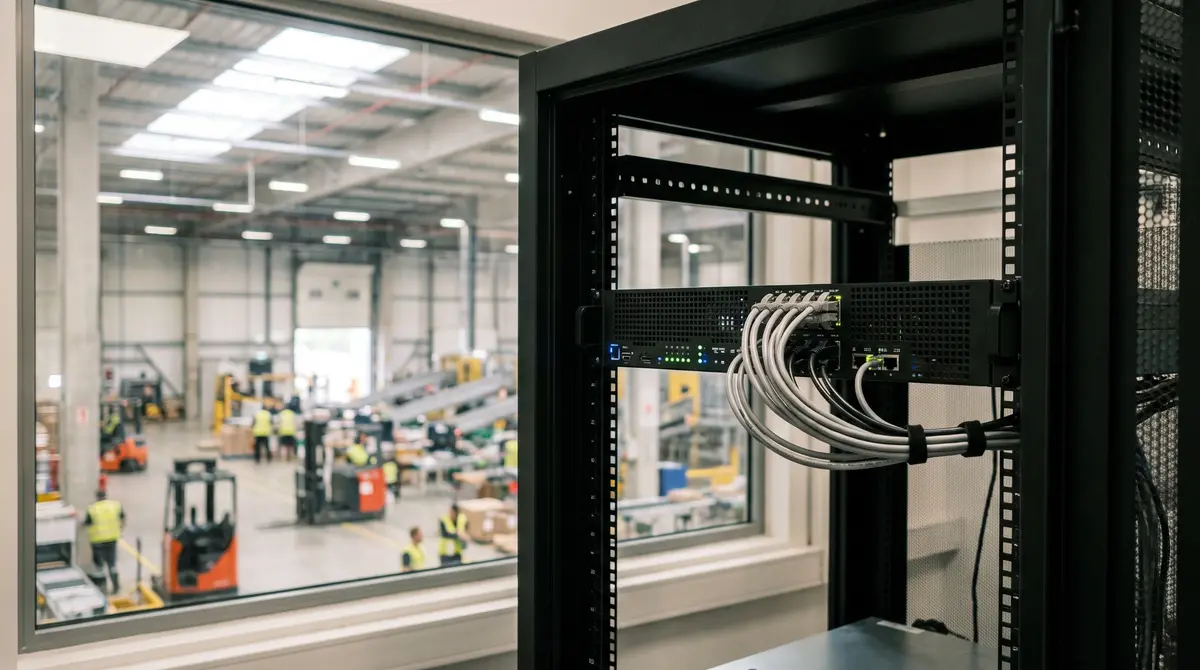
A standard video analytics request for proposal (RFP) is designed to evaluate features, and that is why it fails. When twenty vendors receive a spreadsheet asking whether their software detects intruders, classifies vehicles, or monitors safety zones, all twenty mark the box compliant. The evaluation scores come back nearly identical, procurement selects a winner on licence price, and four months later the deployment stalls in IT review over network bandwidth, edge server requirements, and video privacy policies.
The breakdown does not happen because vendors fabricate their feature lists. It happens because a checklist measures what software can theoretically do in a lab demo rather than how it behaves when connected to fifty existing RTSP streams on an enterprise network.
The problem with standard video analytics RFPs
Most enterprise surveillance RFPs treat computer vision software like an office productivity suite. They ask about user permission tiers, dashboard customisation, single sign-on, and export formats. These operational features matter, and they are also the part of the build every vendor has already solved.
The constraints that decide whether a deployment survives are physical and architectural: video stream ingestion, decode overhead, WAN uplink limits, local hardware sizing, and data residency. When an RFP fails to test those, the buyer purchases an architectural assumption that breaks under production load.
Camera analytics pilots stall at production handoff for a consistent reason: the pilot tested isolated camera feeds, while production tests multi-channel network throughput, appliance sizing, and retention governance all at once. To buy a platform that survives IT scrutiny and runs reliably on day one, the RFP must move from functional wish-lists to verifiable architectural tests.
Why generic feature checklists fall short
A generic RFP question asks: “Does your system support real-time intrusion detection?” Every vendor answers yes.
That single question hides four critical operational variables:
- Does the detection run locally on an edge appliance, or does it require continuous cloud video streaming?
- Does the model require the primary 4K stream at 30 frames per second, or does it run efficiently on a 720p sub-stream?
- What happens to site alerting when the facility internet connection experiences packet loss or an outage?
- Who owns the video frames processed by the model, and does the vendor retain rights to use customer footage for public model training?
When those variables are left unaddressed in procurement, the hidden costs emerge after contract execution. An organization budgeted for software licences suddenly discovers it must upgrade network switches, install dedicated fiber uplinks, or replace fifty functional cameras because the vendor software requires proprietary edge firmware.
A software checklist verifies vendor marketing; an architectural test verifies what happens to your network.
The 9 RFP questions vendors cannot bluff
To separate production-ready platforms from brittle prototypes, replace generic feature grids with these nine technical questions. Each question targets a specific operational failure mode and requires an exact architectural response.
| Question | Architectural Focus | Red Flag Vendor Response |
|---|---|---|
| 1. Stream Ingestion | ONVIF / RTSP protocol standards | “Requires our proprietary camera firmware” |
| 2. Stream Tiering | Primary vs. sub-stream inference | “Must ingest uncompressed 4K at 30 FPS” |
| 3. Fleet Compatibility | Mixed-vendor camera support | “Compatible only with certified partner models” |
| 4. Uplink Consumption | WAN bandwidth per 10 streams | “Requires 4 Mbps continuous upstream per camera” |
| 5. Offline Resilience | Failover during internet outage | “Alerting pauses until cloud connection restores” |
| 6. Compute Footprint | Appliance hardware requirements | “Hardware sizing provided after purchase” |
| 7. Data Sovereignty | Video retention and local boundaries | “Footage buffers in our cloud for 30 days” |
| 8. Model Training | Customer video data ownership | “We retain rights to anonymised training clips” |
| 9. Network Isolation | Zero Trust and VLAN compatibility | “Appliance requires open outbound internet access” |
1. Ingestion: Which RTSP profiles and codecs do you consume without camera agents?
Ask the vendor: Specify the exact video streaming protocols, codecs (H.264, H.265), and ONVIF profiles your platform ingests directly from standard IP cameras without installing custom software or proprietary agents on the camera.
According to published specifications from ONVIF, Profile S has served as the baseline for IP video streaming, with Profile T governing advanced video streaming (including H.265 compression and HTTPS transport) and Profile M standardising analytics metadata exchange.
A modern video analytics platform should ingest standard RTSP streams over unicast and multicast, supporting both H.264 and H.265 compression across standard ONVIF profiles. If a vendor requires side-loading proprietary code onto the camera or demands a specific camera brand, they are selling a closed hardware stack rather than an open analytics layer.
2. Stream tiering: Does inference run against the primary stream or the sub-stream?
Ask the vendor: Does your computer vision pipeline require the primary high-resolution recording stream, or can models execute against secondary sub-streams (e.g., 720p or 1080p at 10–15 FPS)? What is the minimum required pixel density (pixels per foot) for each detection class? To check the answer against your own fleet, calculate pixels per foot for each camera.
Sub-stream inference is the practice of running computer vision detection models on a secondary, lower-resolution camera stream (such as 720p or 1080p) while leaving the primary high-resolution stream untouched for recording and evidentiary archive.
Running inference on uncompressed 4K primary streams at 30 frames per second consumes massive GPU decode cycles without improving macroscopic detection accuracy. Detections such as zone intrusion, vehicle dwell, blocked exit paths, and person-down events perform with high statistical reliability on 1080p or 720p sub-streams at 10 to 15 frames per second. If a vendor mandates primary 4K streams for standard operational detections, their software will require three to five times more compute hardware per channel.
3. Mixed fleets: How does the platform handle multi-vendor RTSP streams?
Ask the vendor: How does your platform normalize and ingest concurrent RTSP streams across a heterogeneous camera fleet from multiple manufacturers (e.g., Axis, Hanwha, Bosch, and legacy ONVIF cameras) with varying keyframe intervals and timestamp formats?
Most commercial facilities operate cameras added across different fiscal years, renovations, and vendor contracts. A production-grade analytics platform must handle variable Group of Pictures (GOP) lengths, dynamic bitrate fluctuations, and minor timestamp drift without dropping channels or crashing the ingestion pipeline.
Understanding how to add analytics to the cameras you already own avoids unnecessary capital expenditure. If a vendor states that their software requires uniform camera hardware across the entire facility, the procurement team must factor a full camera replacement into the total cost of ownership.
4. Bandwidth: What is the continuous WAN uplink requirement per 10 camera channels?
Ask the vendor: State the continuous outbound WAN bandwidth consumption required per 10 camera channels during normal operation, and specify whether raw video or structured metadata is transmitted across the external gateway.
Continuous cloud video streaming is bandwidth-intensive. Streaming ten 1080p camera feeds at 4 Mbps consumes 40 Mbps of dedicated upstream bandwidth. Fifty cameras require 200 Mbps of continuous, unthrottled outbound capacity. For facilities with standard commercial internet connections, this saturates the uplink and creates contention with business-critical traffic.
An on-premises edge architecture processes video locally inside the facility network. Instead of transmitting raw video across the internet, the edge appliance extracts event telemetry and transmits only structured JSON metadata and occasional compressed alert thumbnails. This reduces WAN uplink utilization from 200 Mbps to less than 1 Mbps for fifty cameras.
5. Offline resilience: What happens to detection and alerting when the WAN drops?
Ask the vendor: Describe the operational behavior of the detection, inference, and alerting engines if the site loses external internet connectivity. Are local alerts dispatched to on-site personnel across the LAN during an outage?
If a platform relies on cloud-based computer vision inference, an internet service interruption disables all safety and perimeter detection across the property. For high-consequence environments—such as manufacturing plants, logistics yards, and critical infrastructure—this creates an unacceptable operational blind spot.
An edge-native platform continues to ingest RTSP feeds, execute inference models, and dispatch local webhook or relay alerts across the local area network even when the external WAN connection is completely severed. When the internet connection restores, the appliance syncs its event logs to the central management console without data loss.
6. Compute footprint: What specific appliance hardware runs 50 concurrent streams?
Ask the vendor: Provide the exact server hardware specifications (CPU socket count, RAM, GPU model, and VRAM capacity) required to execute your full detection suite across 25, 50, and 100 concurrent camera channels.
Vague vendor answers such as “runs on standard commercial servers” lead to budget shortfalls. Efficient computer vision architectures utilise hardware-accelerated video decoding (such as NVIDIA DeepStream or Intel QuickSync) and quantised neural network models (INT8 or FP16 precision) to maximize stream density per GPU.
Require the vendor to specify:
- Number of camera streams processed per GPU (e.g., streams per NVIDIA RTX or A-series card)
- Target inference framerate per stream (e.g., 5 FPS, 10 FPS, or 15 FPS)
- Total system power draw and rack unit (RU) space requirements
7. Data sovereignty: Where does raw video reside and when is it purged?
Ask the vendor: Where is raw video footage stored during and after processing? Does the platform store video on vendor-hosted cloud servers, and what is the exact retention and deletion schedule for buffered frames?
The National Institute of Standards and Technology (NIST SP 800-145) outlines clear boundaries for data isolation, multi-tenancy, and consumer control in cloud architectures. In regulated sectors—such as healthcare, defense, logistics, and financial services—transmitting continuous employee and customer surveillance video to third-party cloud infrastructure creates substantial regulatory and compliance exposure.
A defensible architecture keeps raw video footage entirely within the customer’s security boundary on site. Video frames are held in volatile memory (RAM) only for the milliseconds required for model inference and are immediately discarded, with only event metadata and authorized review clips written to disk.
8. Model training: Do you use customer video feeds to train shared models?
Ask the vendor: Does your software licence or terms of service grant the vendor any right to collect, store, anonymise, or use customer video footage, images, or metadata to train, fine-tune, or benchmark public, foundation, or shared commercial models?
Many cloud computer vision vendors include standard clauses in their master service agreements granting them broad rights to utilize customer data for “product improvement” and “algorithm training.” For enterprise buyers, this means proprietary facility layouts, operational workflows, and employee movements become training inputs for the vendor’s general product line.
Require a contractual guarantee that customer video streams remain private, that zero customer footage is ingested into shared training corpuses, and that all models deployed on your site are pre-trained or fine-tuned strictly within your dedicated tenant boundary.
9. Network isolation: Can the appliance run inside a restricted Zero Trust VLAN?
Ask the vendor: Can the on-premises inference appliance operate within an isolated, non-routable camera VLAN with restricted outbound firewall rules? Provide the complete list of required outbound destination ports, protocols, and fully qualified domain names (FQDNs).
Enterprise IT security teams enforce strict network segmentation. Security cameras should reside on an isolated VLAN with no direct inbound or outbound internet access. An analytics appliance must sit across the camera VLAN (to ingest RTSP feeds) and the corporate network (to dispatch alerts), while requiring only minimal, encrypted outbound HTTPS (TCP 443) connections for management and telemetry.
If a vendor requires opening inbound firewall ports, disabling network firewalls, or routing unsegmented camera traffic directly to public IP addresses, the solution violates standard enterprise security posture.
How to run an adversarial pilot on existing cameras
Do not evaluate video analytics on a single camera pointed at an empty hallway in perfect daylight. An adversarial pilot tests software against the edge cases that cause production systems to generate false alarms or miss critical events.
Select five challenging existing camera locations:
- High-contrast doorway: Tests how the model handles harsh backlighting, lens glare, and rapid exposure changes.
- Busy loading dock aisle: Tests object classification and separation when forklifts, pallet jacks, and pedestrians cross in close proximity.
- Low-light perimeter fence: Tests detection sensitivity, infrared illumination noise, and insect motion filtering.
- Obstructed machine zone: Tests zone intrusion accuracy when safety fencing or structural columns partially occlude the field of view.
- Weather-exposed yard camera: Tests false alarm suppression during heavy rain, wind-blown vegetation, and headlights.
During the pilot, track three objective metrics: true positive detection rate, false positive alert frequency per 24-hour period, and edge compute utilization under peak movement. A platform that maintains clean detection with less than one false alert per camera per day in challenging conditions is ready for enterprise rollout.
Where Nsightify fits
Nsightify provides an open AI video analytics platform designed to add operational visibility to the IP and CCTV cameras organizations already operate. Our architecture connects directly to existing camera infrastructure over standard RTSP and ONVIF streams, requiring zero camera replacements or proprietary edge firmware modifications.
The platform delivers allowlisted, production-ready detections across two core operational solutions:
- Physical Safety: Ready-to-run detections for PPE compliance, unauthorized vehicles in pedestrian zones, blocked exits and obstructed egress paths, camera tampering, forklift–pedestrian proximity, person down, crowd occupancy limits, restricted-area dwell, and entry into restricted machine areas.
- Perimeter Security: Ready-to-run detections for zone intrusion, directional tripwires, loitering, after-hours zone entry, camera tampering, tailgating and piggybacking detection, stopped vehicles, and people and vehicle classification. Advanced behavioral detections like perimeter pacing and fence-climbing are included and calibrated during site commissioning.
Nsightify deploys through Nsightify Cloud or as a Zero Trust on-premises installation for enterprise and regulated environments. In on-premises deployments, all computer vision inference executes locally on dedicated edge appliances. Raw video never leaves your secure network boundary; only structured event metadata and real-time alerts are transmitted.
The technical limits must be stated plainly. Camera analytics depends on optical sightlines, lighting conditions, and mounting angles. Occlusion in tightly packed racking aisles is a physical reality, and detection software acts as an operational monitoring layer rather than a certified safety interlock or automated access enforcement tool. Reviewing how AI video analytics turns existing cameras into intelligence helps establish practical operational baselines for your facility.
Questions IT and security teams are asking
Why do standard video analytics RFPs fail during deployment?
Standard RFPs rely on feature checklists where every vendor marks compliant. They fail to test mechanical limits: continuous WAN bandwidth consumption, sub-stream versus primary-stream inference, compute appliance sizing for multi-camera workloads, and customer video data retention boundaries.
Can video analytics run on sub-streams without losing detection accuracy?
Yes. For macroscopic detections like zone intrusion, vehicle counting, and blocked exit paths, 720p or 1080p secondary sub-streams at 10 to 15 frames per second provide sufficient pixel density while reducing compute overhead by over 70 percent compared to 4K primary streams.
How much uplink bandwidth does cloud video analytics require?
Streaming 50 continuous 1080p camera feeds to a cloud platform requires between 150 and 250 Mbps of dedicated outbound WAN bandwidth. On-premises edge inference processes video locally on site and transmits only lightweight JSON event metadata, requiring under 1 Mbps.
Does adding video analytics require replacing existing IP cameras?
No. A vendor with standard ingestion architecture connects directly to existing IP and CCTV cameras via RTSP or ONVIF Profile S and Profile T feeds. If a vendor mandates proprietary camera hardware, the constraint lies in their software packaging rather than an optical requirement.
What to put in your procurement checklist this week
Take your current RFP template and strike out the generic capability tables. Replace them with the nine architectural questions above, requiring vendors to provide specific bandwidth calculations, hardware sizing models, and data governance commitments in writing.
Before signing a production contract, insist on a 14-day proof of concept on five of your most challenging existing cameras. Verify that the appliance runs inside your isolated camera VLAN, consumes predictable local compute, and delivers actionable alerts without flooding your security team with false alarms.
The Nsightify pilot runs on your own cameras, so it can serve as that proof of concept. Apply to the pilot program.
Keep reading:
More on this from Nsightify: AI video analytics on existing IP and CCTV cameras.


See Nsightify in Action
We're onboarding a limited number of pilot partners. If you're an operations or security leader in construction, warehousing, or manufacturing — let's talk.