Video Surveillance Network Requirements: Getting IT to Yes
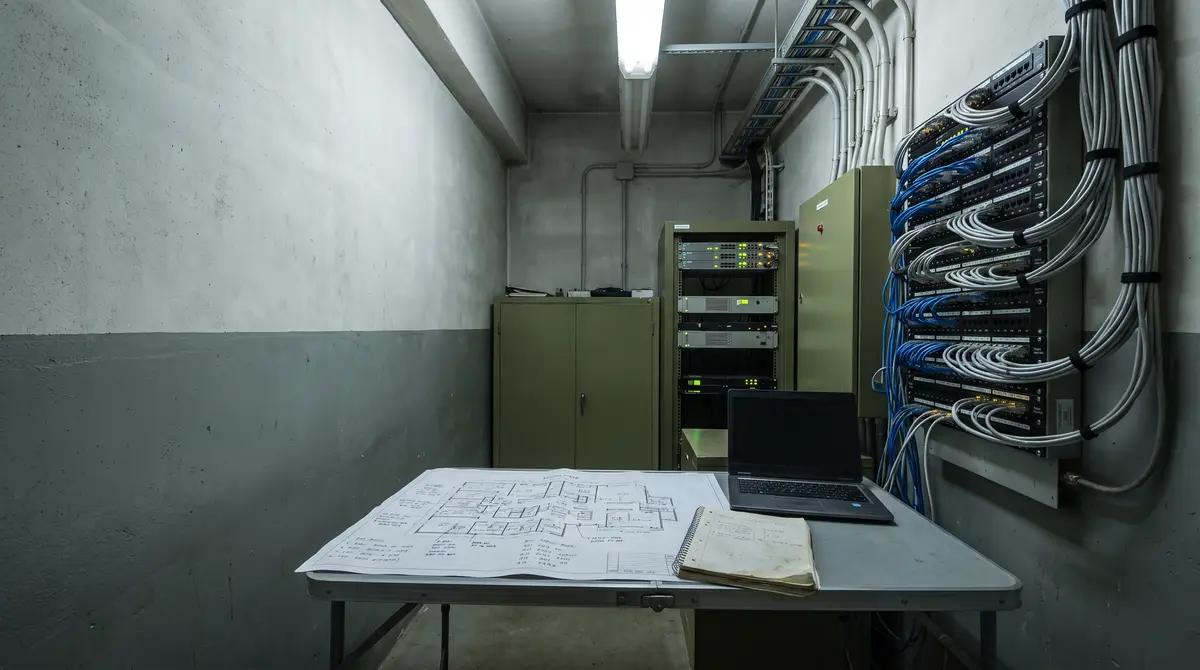
The budget is signed, the vendor is chosen, and the rollout has a start date. Six weeks later it is still sitting in IT review, because nobody has written down what IT is actually being asked to approve. Video surveillance network requirements are the difference between a two-week review and a two-quarter one, and they are almost never in the proposal.
The problem: IT is handed a product, not a change
The request that reaches the security review queue usually says “approve the video analytics platform.” That is not a reviewable object. A network change approval needs specifics: which streams leave which subnet, to which destination, over which protocol and port, authenticated with which credential, and what happens to each of those when it fails.
The reviewer’s caution is not obstruction. It is the documented failure pattern. In their joint advisory Top Ten Cybersecurity Misconfigurations (AA23-278A, October 2023), the NSA and CISA rank default configurations first, lack of network segmentation fourth and poor credential hygiene ninth — and they name security cameras among the devices that commonly carry default credentials an attacker can use to move laterally into the rest of the estate.
So the person holding up the project is not being difficult about a safety initiative. They are being asked to attach several dozen embedded devices, many of them years past their last firmware review, to a new outbound data path — on the strength of a datasheet.
The vocabulary for that decision already exists. The NIST Cybersecurity Framework 2.0 (NIST CSWP 29, February 2024) added Govern as a sixth Function alongside Identify, Protect, Detect, Respond and Recover, and placed supplier risk under it as the GV.SC category. The reviewer is being asked for a GV.SC-shaped decision and handed none of the GV.SC-shaped inputs.
IT is not approving software. It is approving a set of connections that will outlive the project team.
Why the usual approach falls short
Three things are usually offered in place of a review packet. Each is reasonable, and none of them answers the question.
The datasheet answer: “works with any ONVIF camera”
ONVIF is a family of profiles, not a single badge. Profile S and Profile T cover video streaming, Profile G covers edge recording, Profile M covers analytics metadata and events, and Profile V — currently a release candidate — covers cloud and video-surveillance-as-a-service deployments. Other profiles in the family govern door and credential systems and have no place in a video analytics review at all. Conformance to one profile guarantees nothing about any other.
The badge is also moving underneath the inventory. ONVIF announced in October 2025 that it will end support for Profile S, with 31 March 2027 the last date manufacturers can submit products for Profile S conformance. The reason is authentication: Profile S mandates username token authentication, which ONVIF now describes as too weak to protect devices against unauthorised access, and it points implementers at Profile T’s digest authentication or at TLS. Existing deployments keep working — but a camera listed as “ONVIF compliant” on a spreadsheet may be conformant to a profile being retired for a security reason, which is precisely the sort of detail a reviewer is entitled to know before signing.
The pilot that proved nothing about the network
One camera, one laptop, one afternoon, everything on the same VLAN. That pilot demonstrates detection quality, which was never the reviewer’s objection. It answers no question about segmentation, credential handling, egress volume or behaviour during an outage, because the topology it ran on is not the topology it will be deployed on.
The vendor questionnaire, which tests the vendor
Sending the vendor a structured technical questionnaire is a genuine improvement, and the video analytics RFP questions vendors cannot bluff are the right ones to send. But a questionnaire tests the vendor’s architecture. The approval is a change to your own estate, and the artifacts that justify it are yours to produce — the vendor cannot write your firewall rules or name your time source.
What good looks like: a video surveillance network requirements packet
A video analytics network review is the assessment that decides whether an analytics platform may connect to an existing camera estate. It covers which streams are consumed, over which protocol and ports, using which credentials, across which network boundary, and what data crosses the site perimeter.
Assembled as six artifacts, it becomes a two-week review rather than a standing agenda item.
1. A stream inventory, not a camera count
Inference consumes streams, not cameras. A single camera commonly publishes a primary stream for recording and a lower-resolution sub-stream, and the analytics platform may take either. “Sixty cameras” is therefore not a specification; “sixty sub-streams at 1080p, H.264, two-second keyframe interval, audio disabled” is.
List each stream with its source subnet, codec, resolution, frame rate and the URL form used to reach it. Uplink and compute sizing follow from that list rather than from the camera count, and those calculations belong in the vendor’s response, not in the reviewer’s head. Add each camera’s field of view and distance to the zone, and the same list tells you which cameras can support a detection, in pixels per foot.
2. Two topologies, and the question that separates them
Almost every deployment is one of two shapes: cameras reach the analytics platform directly across the network boundary, or a bridge component sits inside the network, consumes the streams locally and sends outward on their behalf. The distinction is not a product tier. It decides what the firewall change looks like.
| Review criterion | Cameras reach the platform directly | Bridge inside the network |
|---|---|---|
| Firewall change | Camera VLAN needs a route outward, or inbound reachability | Outbound only, from one known host |
| Credential exposure | Camera credentials used across the boundary | Camera credentials stay inside the VLAN |
| Rule specificity | One rule per camera subnet | One rule, one source address |
| If the analytics host is compromised | Blast radius is whatever the cameras can reach | Blast radius is one host you already monitor |
| During a WAN outage | Ingest and alerting stop | Local ingest continues, delivery queues |
Protocol detail decides whether either shape works. RTSP, specified in IETF RFC 2326 (April 1998), uses port 554 by default for the control connection and then negotiates transport for the media: separate UDP ports, or the media interleaved into the same TCP connection. A firewall rule that permits the control connection but not the media path yields a session that sets up cleanly and never delivers a frame — an outcome that reliably gets diagnosed as a broken product rather than a missing rule. RFC 7826 defines RTSP 2.0 and formally obsoletes RFC 2326, but it is not backwards compatible beyond version negotiation, so deployed cameras and the platforms that read them still speak the 1998 protocol.
The standards work is moving toward the bridge shape. ONVIF’s Profile V uses its Uplink specification, in which “the conformant device initiates an outbound connection to the cloud-based conformant client over WSS” — a device-initiated, TLS-secured channel that reaches a client through a local firewall without port forwarding. Profile V is a release candidate, so it belongs in a review as a direction of travel rather than as a requirement you can put in a purchase order today.
3. Credentials that survive a hardening cycle
The default answer in the field is one shared administrative account, configured at commissioning, used by every integration, and rotated never. That is the ninth item on the NSA and CISA list, and it is how a camera compromise becomes a network compromise.
The packet should name a dedicated service account per platform, scoped to stream access rather than device administration, with a rotation procedure that has been tested against the ingest path. Rotation is where this fails quietly: credentials change, streams stop, and nothing tells anyone unless ingest health is monitored as a first-class signal rather than inferred from the absence of alerts.
The ONVIF deprecation makes the same point from the other direction. If a manufacturer removes username token authentication in a future firmware release — exactly the hardening a security team would ask for — a device stops being Profile S conformant. A compatibility claim can be invalidated by a security update. Ask which authentication method the platform uses, and whether it survives the camera vendor’s own hardening plans.
4. A time source, decided before it matters
Time synchronisation is the field nobody reviews and everybody needs later. Cameras drift. When three cameras covering one loading bay disagree by forty seconds, the event sequence assembled from them is wrong, and the reconstruction of an incident argues with itself.
Name the NTP source in the packet, confirm every camera and the analytics host use it, and decide whether the camera VLAN may reach it directly or through an internal server. It is a one-line decision at approval and an expensive forensic problem afterwards.
5. An egress claim you can verify yourself
“Only metadata leaves the site” is a testable claim, not a matter of trust, and a reviewer who cannot test it should not be asked to accept it. Four checks settle it:
- A deny-by-default egress rule with an explicit allowlist of destinations, each named by fully qualified domain name and port.
- Byte counters on that rule, sampled over a normal operating week and compared against the vendor’s stated figure.
- DNS query logs from the analytics host, showing every destination it actually resolves.
- A packet capture on the uplink over a defined window, confirming the payload shape.
The artifact these produce is a data-flow diagram naming every destination. That diagram, not a sentence in a proposal, is what closes the data-residency question — and it is the one document that stays useful for the life of the deployment.
6. Failure modes to name before you sign
A review is credible when it has imagined the system breaking. These are the eight worth writing down, because each has a cheap answer at approval and an expensive one afterwards:
- A camera reboots and its DHCP lease changes. The configured stream URL now points at nothing. Fixed with static reservations or name-based addressing, agreed before deployment.
- Credentials rotate and ingest stops silently. No alert fires, because the system’s job is to alert on events and it is now receiving none.
- Time drifts and events land out of order. Correlation across cameras degrades before anyone notices.
- A TLS certificate expires on the management or transport path, and streams fail closed overnight.
- A firmware update changes a stream path or removes an authentication method. The compatibility matrix silently becomes wrong.
- Facilities replaces a camera like-for-like without telling IT, and the asset inventory the approval rests on drifts out of date.
- The WAN drops. Decide in advance what continues locally and what queues, then confirm it rather than assuming it.
- The contract ends. Name which accounts get disabled, which firewall rules get removed and which data gets deleted, at approval — decommissioning rules are the ones nobody ever gets around to removing.
Where Nsightify fits
Nsightify runs AI video analytics against the IP and CCTV cameras a site already operates. The platform ingests standard RTSP streams from existing cameras, so no camera replacement, proprietary firmware or new field cabling is required, and real-time alerts reach the people already watching the site.
Both topologies above are supported deliberately. Nsightify Cloud suits sites where an outbound path from a single host is the simplest change to justify. Zero Trust on-premises deployment suits enterprise and regulated environments that require inference to run inside the boundary, with raw video staying on the local network and only structured alert metadata leaving it. Which one a site uses is a network decision made during this review, not a product tier chosen in procurement.
The limits belong in the same paragraph as the claims. Camera-based analytics depends on sightlines, mounting height, lens coverage and lighting; occlusion and weather affect what any optical system can resolve. It is an alerting layer that sharpens human response, not a physical barrier or an interlock. Reviewing how AI video analytics turns existing cameras into intelligence is a reasonable way to set expectations before the network conversation starts.
Questions IT teams are asking
Do my cameras need to be ONVIF compliant to add video analytics?
Usually not. ONVIF conformance helps with discovery and configuration, but most analytics platforms ingest video over RTSP, which cameras support independently of any ONVIF profile. Check the profile rather than the badge: conformance to one profile implies nothing about another, and ONVIF has set 31 March 2027 as the last date for Profile S conformance submissions because its username token authentication is no longer considered strong enough.
What ports does RTSP use on a camera network?
RTSP is specified in IETF RFC 2326 and uses port 554 by default for the control connection. Media then travels either over separate UDP ports or interleaved into the same TCP connection. That choice matters at a firewall: a rule permitting the control connection but not the media path produces a session that negotiates successfully and delivers no video.
Should security cameras be on their own VLAN?
Yes, and it is the change with the widest effect. NSA and CISA list lack of network segmentation among the ten most common cybersecurity misconfigurations, and name security cameras among the devices that commonly ship with default credentials an attacker can use to move laterally. An isolated camera VLAN limits what a compromised camera can reach and forces the analytics path to be stated explicitly.
Can I add AI to my existing CCTV system without new hardware?
Usually yes. A platform that ingests standard RTSP streams works against the cameras already installed, so the constraint is rarely the camera itself. It is the network path: whether streams can reach the platform, which credentials they use, and what data leaves the site. Those questions decide the rollout, and they are answered on a network diagram rather than a datasheet.
What to put in your change request this week
Before the next review meeting, produce three pages. The first is the stream inventory: every stream the platform will consume, with its source subnet, codec, resolution and frame rate. The second is the data-flow diagram: the topology you are proposing, every destination outside the boundary named by fully qualified domain name and port, and the service account each connection uses. The third is the failure-mode list above, annotated with your answer to each.
Those three pages convert an open-ended security objection into a set of decisions with owners. They also outlive the project — the same documents answer the auditor’s question next year and the incident reviewer’s question the year after. If your camera estate is already documented, the existing-camera analytics question is mostly settled and only the network path remains.
To test that path on your own topology rather than a datasheet, apply for an Nsightify pilot.
Keep reading:
More on this from Nsightify: AI video analytics on existing IP and CCTV cameras.


See Nsightify in Action
We're onboarding a limited number of pilot partners. If you're an operations or security leader in construction, warehousing, or manufacturing — let's talk.