CTPAT Camera Requirements, Criterion by Criterion
CBP’s minimum security criteria for U.S. importers don’t make cameras mandatory. The CTPAT camera requirements begin with “If camera systems are deployed,” and installing them brings five musts, two written for cameras and three for all security technology. The two that take the most work, reviewing footage and testing the system, both have to be written down.
CTPAT, the Customs Trade Partnership Against Terrorism, is U.S. Customs and Border Protection’s voluntary supply chain security program. A member files a security profile showing how it meets the minimum security criteria for its type of business, updates the profile every year, and is validated against it. GAO reported almost 11,000 participants as of August 2025, citing CBP officials.
Current as of 9 October 2026: CBP’s CTPAT page for importers lists the October 2021 criteria as current. GAO’s January 2026 review of the program recommended that CBP review the criteria every year, and DHS agreed, so the criteria below could change. This checklist reads CBP’s text. Only a CBP validation decides whether a member meets it.
CTPAT camera requirements at a glance
Every criterion below comes from section 9, Physical Security, of CBP’s minimum security criteria for U.S. importers, except 12.9, from the training section. Foreign manufacturers’ criteria use the same numbers and wording for 9.8 to 9.16.
| Criterion | What CBP asks | Evidence worth keeping | Alert or person |
|---|---|---|---|
| 9.13 · Must | Cameras positioned to cover key import and export areas; they should also record 24/7 at the best quality reasonably available | A camera map against the chain of custody | Person |
| 9.15 · Must | Periodic, random footage reviews by management, security or designated staff, summarized in writing with corrective actions | The written summaries | Person; an alert can suggest where to look |
| 9.8 · Must | A written policy to test and inspect security technology, including camera position, with documented results, reviewed every year | A dated test and inspection log | Person; a moved or blocked camera can raise an alert |
| 9.10 · Must | Security technology, including cameras, their power and drives, and the recordings, physically secured | The recorder and network equipment locked away | Person |
| 12.9 · Must | Operations and maintenance training for the people running the system | Training records | Person |
| 9.12 · Should | Cameras on the premises and sensitive areas, with alarms on unauthorized entry to sensitive areas | Alert settings for each sensitive area | Alert |
| 9.14 · Should | A notification when a camera fails to operate or record | The notification settings and their last test | Alert |
| 9.16 · Should | Footage of key processes kept on monitored shipments long enough to investigate | The retention setting | Recorder setting |
The examples follow a plant that imports components by container, with two receiving dock doors, a container inspection area, a seal cabinet in the shipping office and a yard.
The two camera musts: coverage and a written random review
9.13: cameras on the chain of custody
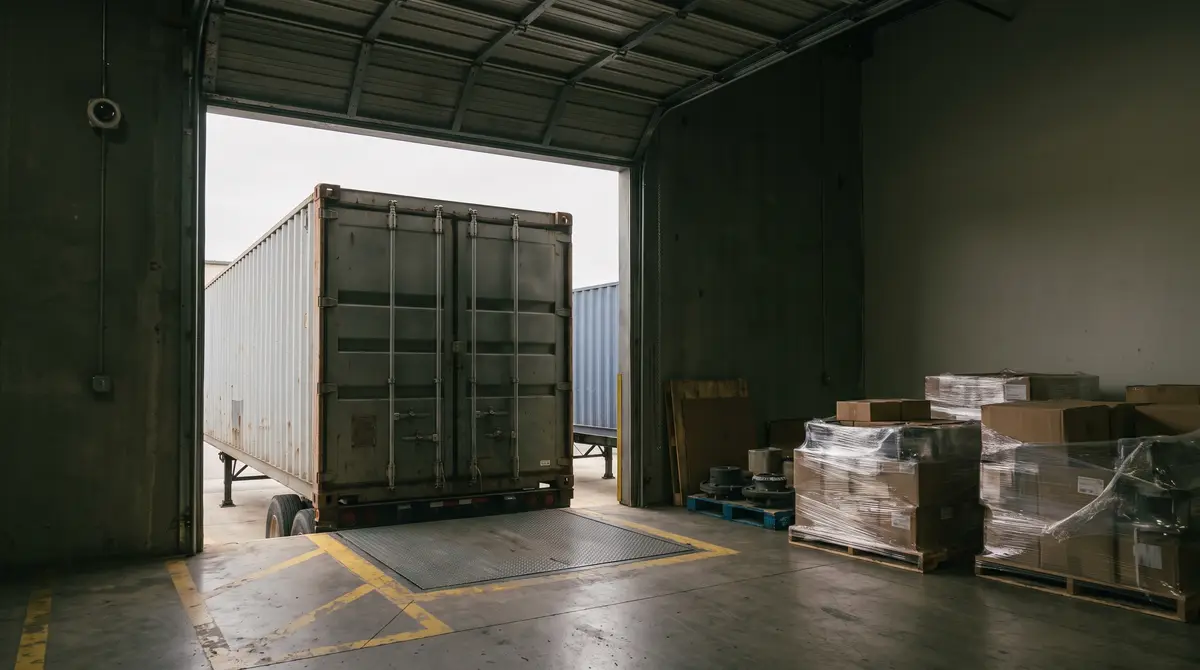
What to check. Whether each process on the physical chain of custody has a camera on it. CBP’s guidance lists, based on risk, cargo handling and storage, shipping and receiving, loading, sealing, conveyance arrival and exit, IT servers, container inspections and seal storage. At the plant, that means both dock doors, the inspection area, the seal cabinet and the yard gate where containers arrive and leave.
Why it matters. The test is coverage of a process. A camera that shows the dock but not the moment the container doors open misses the step a review needs to see.
Good evidence. A camera map that names each process and the camera covering it. Its should: record around the clock at the best quality reasonably available. Whether a dock camera shows enough detail for a reviewer depends on pixels per foot at the distance that matters. A camera recording 24/7 also records a different image at night, so check the night view too.
9.15: the periodic, random review
What to check. That a manager, security officer or other designated person watches footage at unpredictable times, checks that cargo security procedures were followed, and writes up the result. CBP’s guidance points the review at the same chain of custody as 9.13. It also allows extra reviews targeted by risk, such as after an anonymous report about the loading dock.
Why it matters. CBP’s guidance says footage reviewed only for cause, after a breach, doesn’t deliver the cameras’ full benefit.
Good evidence. The written summaries, with any corrective actions, kept long enough for audit purposes. These reviews watch people at work, so where the dock sits also decides which state employee monitoring notice laws reach the cameras.
A template for the written 9.15 review summary
CBP’s guidance lists five items for the written summary. The example entry is illustrative, not a real review.
| Item (CBP’s list) | Example entry |
|---|---|
| Date of the review | 9 October 2026 |
| Date of the footage reviewed | 3 October 2026, 1:40 to 2:25 PM |
| Camera or area | Dock door 2, receiving |
| Brief description of findings | Inbound container inspected at the door before unloading. The trailer stopped past the marked line, so part of the inspection was out of frame. |
| Corrective actions, if warranted | Repaint the stop line. Re-aim the dock door 2 camera and record the change in the 9.8 test log. |
Keep the summaries next to the 9.8 test log. A review that finds a badly aimed camera has also produced a test result.
Three technology musts that cover cameras too
9.8: a written test and inspection policy
What to check. A written policy for the use, maintenance and protection of security technology. It limits who can reach the system and sets regular tests and inspections that confirm equipment works and is positioned correctly. Results and fixes are documented and kept for audit purposes, and the policy is reviewed every year, or sooner when risk changes.
Why it matters. CBP’s guidance names what the tests should catch. Settings such as motion detection alerts, images per second and quality level may not be set up properly. Lenses and domes get dirty or lose focus, obstructions or bright lights block the view, and cameras get moved, by accident or on purpose. CBP also asks for a retest after service work, building changes, or major changes to phone or internet service.
Good evidence. A dated log by camera, with each failed check and its fix.
9.10 and 12.9: a locked system and trained operators
Everything the security technology runs on, including the cameras, their power and drives, and the recordings, must be locked away from unauthorized access (9.10). The people who run and maintain it must be trained (12.9). At the plant, that means a locked recorder and network closet, and training records for whoever runs the recorder and the 9.8 tests.
Four shoulds: alarms, failure notices, backup power and retention
9.12, sensitive areas. Cameras should cover the premises and sensitive areas, and an alarm should tell the company when someone enters a sensitive area without authorization. CBP’s examples overlap 9.13’s list and add the yards and storage areas for containers and trailers. Yards carry risk beyond CTPAT: cargo theft statistics for 2026 show fewer thefts and bigger losses.
9.14, failure to operate or record. Cameras should have an alarm or notification that signals when they stop operating or recording. CBP’s reasoning: a system that stops recording may have been disabled on purpose, so a breach leaves no video.
9.11, power. Security technology should have backup power, since cutting the power is one way around it.
9.16, retention. Footage of key import and export processes on monitored shipments should be kept long enough to investigate. CBP’s guidance suggests at least 14 days after the shipment reaches its first point of distribution. That is the first place the container is opened once Customs has cleared it, which may be the plant’s own dock. It is the only retention figure CBP gives. The criteria set no general retention period, minimum resolution or frame rate, so a checklist citing one as a CTPAT requirement is citing nothing in the text.
For each should, check that the setting exists and that it has been tested. A failure notification that has never fired in a test is a setting nobody has proven.
What an alert can carry, and what stays with a reviewer
Nsightify runs on the cameras already on the dock and the yard, with detections from Nsightify Perimeter Security that answer three of the criteria:
- 9.14: Nsightify alerts when a camera’s stream drops, separately from tampering. That covers a camera that stops sending video. Whether the recorder is writing it to disk is the recorder’s own health check.
- 9.8: camera tampering alerts when a lens is blocked, spray-painted, defocused or repositioned between scheduled tests.
- 9.12: intrusion into a restricted zone and after-hours zone entry watch the shipping office’s seal cabinet, the yard or the receiving dock. A camera can’t tell who is authorized to be there, so the zone and its schedule do that sorting. Any detection can be restricted to a shift, a night window or a weekend, and you choose whether evidence is still captured outside it.
Alerts reach on-site staff through the channels the team already uses, and every detection is also published as a structured event over an API and outbound webhooks. A reviewer can add last week’s after-hours entries and dropped streams to the random sample, as the risk-based reviews CBP’s guidance allows. The review itself stays with a person: CBP wants management or designated staff to verify that procedures were followed, and an alert can only suggest where to look.
Frequently asked questions
Does CTPAT require security cameras?
No. CBP’s minimum security criteria for U.S. importers recommend security technology to monitor premises (9.7, a should), but no must requires cameras. Each camera criterion starts with a condition: if cameras are deployed. Once they are, five musts follow: camera coverage of key import and export areas (9.13), written random reviews (9.15), and testing, physical protection and training for all security technology.
What are the CTPAT CCTV requirements?
Two musts apply to cameras directly: cover key import and export areas (9.13), and run periodic, random footage reviews summarized in writing (9.15). Testing (9.8), physical protection (9.10) and operator training (12.9) are musts for all security technology. Recording 24/7 at the best quality available, sensitive-area alarms, failure-to-record notices, backup power and footage retention are shoulds.
How long should CTPAT camera footage be kept?
For monitored shipments, CBP’s guidance recommends keeping footage of key import and export processes for at least 14 days after the shipment reaches its first point of distribution. That is the first place the container is opened once Customs has cleared it. It sits under criterion 9.16, a should. The criteria set no general retention period, and no minimum resolution or frame rate.
How often must CTPAT camera footage be reviewed?
CBP sets no frequency. Criterion 9.15 requires periodic, random reviews by management, security or other designated personnel, with the results summarized in writing and kept for audit purposes. CBP’s guidance adds that a member may also target a review based on risk, such as after an earlier incident.
Before your next security profile update
Members update their security profile once a year, and a CBP validation checks that the measures in it are in place and being followed. Four steps get the camera program ready for both:
- Map the chain of custody. Each 9.13 process at your site, the camera on it, and the gaps.
- Start the 9.15 log this week. The five-item template, footage picked at random, plus a risk-based review after any incident.
- Date the 9.8 checks for every camera, retest after service work or major phone and internet changes, and file the 12.9 training records.
- Write down your shoulds. For 9.11, 9.12, 9.14 and 9.16, note what you adopted and how it is set, so the profile describes what the system actually does.
Pick the row where you can’t tell what your cameras would show or flag, and ask us what a camera at your dock can show for it.
More on this from Nsightify: AI video analytics on existing IP and CCTV cameras.

See Nsightify in Action
We're onboarding a limited number of pilot partners. If you're an operations or security leader in construction, warehousing, or manufacturing — let's talk.